
We offer a large variety of Stock colors, but we can also print any color from the Pantone® Solid Coated Color book through our Varsity, Classic, Stretch, Nylon, and NonWoven formulas.
Custom Pantone® Colors are available to order on:- Gang Sheets: Varsity, Classic, Stretch, Nylon, and Non Woven formulas
- Single Image: Varsity, Stretch, Nylon, and Non Woven formulas
Here's how to order a Custom Pantone® Color:
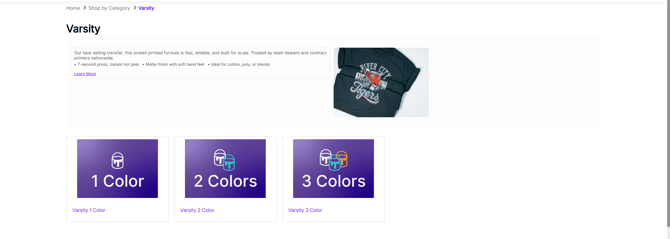
Step 1: Navigate to our Digital Storefront and Choose Your # of Colors
- Select your formula and number of colors.
Step 2: Choose Your Layout Type & Sheet Size
- Choose the layout type (gang or single image) & sheet size you wish to use based on the actual size of your artwork.
Step 3: Upload Your Artwork and Choose Custom PMS
- Upload your art file, enter your Job Name, enter the Quantity, and select the Artwork Review and Artwork Orientation options.
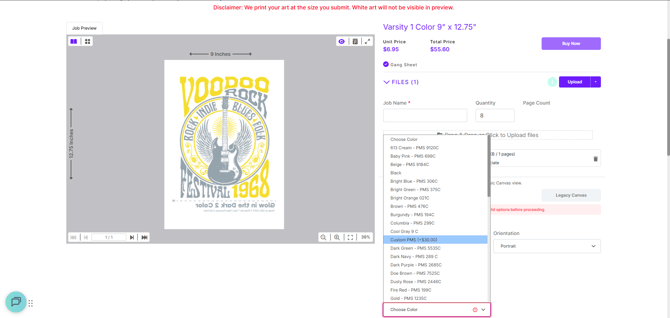
- The final section is the Color Option section. This is where you will choose your colors for your order. Select your first color from the Color Options dropdown list.
- In the example below, we have chosen White for the first color and have chosen Custom PMS (+$30) for the second color. Note: The order you choose the colors does not matter.
- Once the Custom PMS (+$30) option is selected, another field will appear. This is where you will type in the Custom Pantone® color you want us to print.
Step 4: Type in Your PMS Color
- Enter your Custom Pantone® Color in the pop-up window. Please verify the Pantone® number is correct and also provide a description of the color. Example: Bright Pink 219 C or PMS 1505 C Orange.

- And that's it! Once completed, simply add the order to the cart.
Enjoy your Custom Pantone® Color!